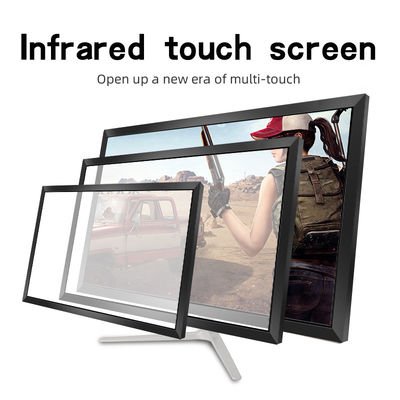
What "open frame" commits you to
An open frame touch product arrives without an enclosure because your kiosk is the enclosure. That trade — lower unit cost and total design freedom, against integration responsibility — defines the builder's workload on this page: mounting, sealing, thermals and service are yours to engineer, with the catalogue's open-frame kits (the LV-43 is the reference) and metal-case panels specified for ATM, POS and open-frame machine duty as the starting artefacts. The kiosk-level choices among overlay, open frame and foil are compared on the kiosk application page.
Mounting: protect the sensing window
The infrared field needs an unobstructed corridor across the active area. Housing design earns or loses the product here: a decorative lip that overhangs the corners by even a few millimetres will clip diagonal beams and eat accuracy precisely where interface designers put the confirm button. Hold the frame's mounting face in one plane, keep fasteners out of the sensing window's line, and prototype the front bezel with the real frame before the sheet metal is frozen. Every kiosk programme has a story about a beautiful bezel that ate the corners; the programmes differ in whether the story is told about rev A or about production.
Sealing and the public environment
An overlay frame is not itself a sealed component; the seal is a property of your front assembly. Decide the exposure honestly — indoor lobby, semi-outdoor shelter, full storefront — and design the front stack accordingly: gasket lines, drainage that does not cross the electronics cavity, and a cleaning regime the frame's window strips tolerate. Splash-facing builds should be declared at inquiry so profile and mounting are specified for them, rather than discovered by the first pressure-washed floor.
Thermals and power
The touch electronics are low-power, but they share a sealed box with a display, a PC and possibly a printer — a real thermal system. Give the PCBA a convection path, keep it out of the display's exhaust stream, and respect the USB power discipline from our interface article: direct port for touch, powered hub for the hungry peripherals. Thermal and power shortcuts present as "intermittent touch faults" months later, in the field, at fleet scale.
Service access is a design feature
Field failures in this class are connectors, cables and occasionally a PCBA — almost never the frame extrusion. Design the carcass so the touch layer can be swapped from the service side without removing the display: captive fasteners, a USB lead with slack and a documented path. The components programme exists to make that swap a part, not a project. Programmes that design for the swap report touch downtime in minutes; programmes that entomb the frame report it in days and scaffolding.
The builder's checklist
- Front bezel modelled against the real frame; corners proven unobstructed
- Exposure class declared; front-stack sealing designed, not hoped
- Thermal path for the electronics cavity drawn and tested at soak
- USB architecture: touch direct, peripherals on powered hub
- Touch layer swappable from the service side in under 30 minutes
- Calibration procedure and settings recorded in the build pack
Open-frame integration rewards the programmes that treat touch as a subsystem with an owner. Give it one, and the kiosk your users judge will feel like it was born interactive — because, on paper, it was.
From prototype carcass to production furniture
The first kiosk a programme builds is a prototype wearing production clothes, and the honest programmes plan for its lessons explicitly. Instrument the prototype: log touch dropouts, thermal behaviour at soak, and every service intervention, however small. The patterns decide the production revision — a vent moved, a hub replaced, a bezel lip shaved by the two millimetres that were clipping the corner beams. This is the open-frame bargain at its best: because the touch layer is a component with a drawing, its integration can be revised like any other component, and the catalogue's kit commonality means the revision rarely changes the part itself — only its neighbourhood. Freeze the neighbourhood in the production drawing set: mounting plane, gasket specification, cable paths, service clearances, the calibration record. Programmes that skip the freeze discover that their fleet of fifty kiosks is actually fifty unique kiosks, and that service knowledge does not travel between them. The touch layer will be blamed, as the most visible subsystem always is; the build pack is how the builder answers. Treat the first unit as tuition, the drawing set as the degree, and the fleet as the career — in that order, and open-frame integration becomes the most controllable part of the whole kiosk programme.
What to hand the client at sign-off
Kiosk programmes end, contractually, at an acceptance moment — and the touch layer's sign-off pack decides how the next five years of conversations go. Hand over: the frame model and drawing revision as built; the calibration settings file and the procedure to re-run it; the USB architecture diagram showing which port feeds touch and which hub feeds peripherals; the cleaning instruction for the window strips, written for the client's cleaning contractor, not for engineers; and the spares list with the components programme's part names, so a replacement PCBA can be ordered by the client's own staff without a treasure hunt. Programmes that deliver this pack discover that warranty conversations become short and factual, because both sides are reading from the same record. Programmes that deliver a handshake discover that every later fault is an archaeology expedition. The touch layer is the part of the kiosk the public touches, judges and remembers; its documentation deserves the same care as its bezel tolerances. Build the pack during the build — it is nearly free then, and nearly impossible to reconstruct later.
The measure of a good integration
A well-integrated kiosk is recognisable by what nobody notices: the touch lands where the finger lands, the unit runs for months between interventions, and when intervention comes it is short, documented and boring. Every decision in this guide — the unobstructed window, the designed seal, the thermal path, the swappable layer, the sign-off pack — exists to purchase that invisibility. It is not the cheapest kiosk to build; it is the cheapest kiosk to own, which is the only cost a fleet programme actually pays. Build for the owning.
There is also a commercial reason to integrate carefully that rarely gets said aloud: the kiosk is the client's brand made physical, and its touch behaviour is the brand's handshake. A screen that misses taps, lags, or wears a visibly improvised bezel communicates something about the organisation behind it — fairly or not — to every user, every day. The builder's disciplines in this guide are therefore not only reliability engineering; they are the client's reputation, manufactured. Programmes that understand this staff the touch subsystem with an owner and a budget line. Programmes that treat it as a commodity purchase discover the difference in their users' language long before they discover it in their telemetry.